> For the complete documentation index, see [llms.txt](https://delivery.ajuda.cc/llms.txt). Markdown versions of documentation pages are available by appending `.md` to page URLs; this page is available as [Markdown](https://delivery.ajuda.cc/geral/extensoes/logistica/machine-global.md).
# Machine Global
A Machine fornece tecnologia para empresas regionais de transporte de passageiros e/ou entregas crescerem com eficiência e qualidade.
Ativando a integração, será possível solicitar entregadores via Machine Global para os pedidos realizados na sua loja, diretamente pelo painel de pedidos da sua loja.
Ao solicitar uma entrega no painel de pedidos, ela será automaticamente criada em sua conta na Machine Global e você poderá confirmá-la e acompanhá-la sem sair da plataforma.
## Ativando a integração com a Machine Global
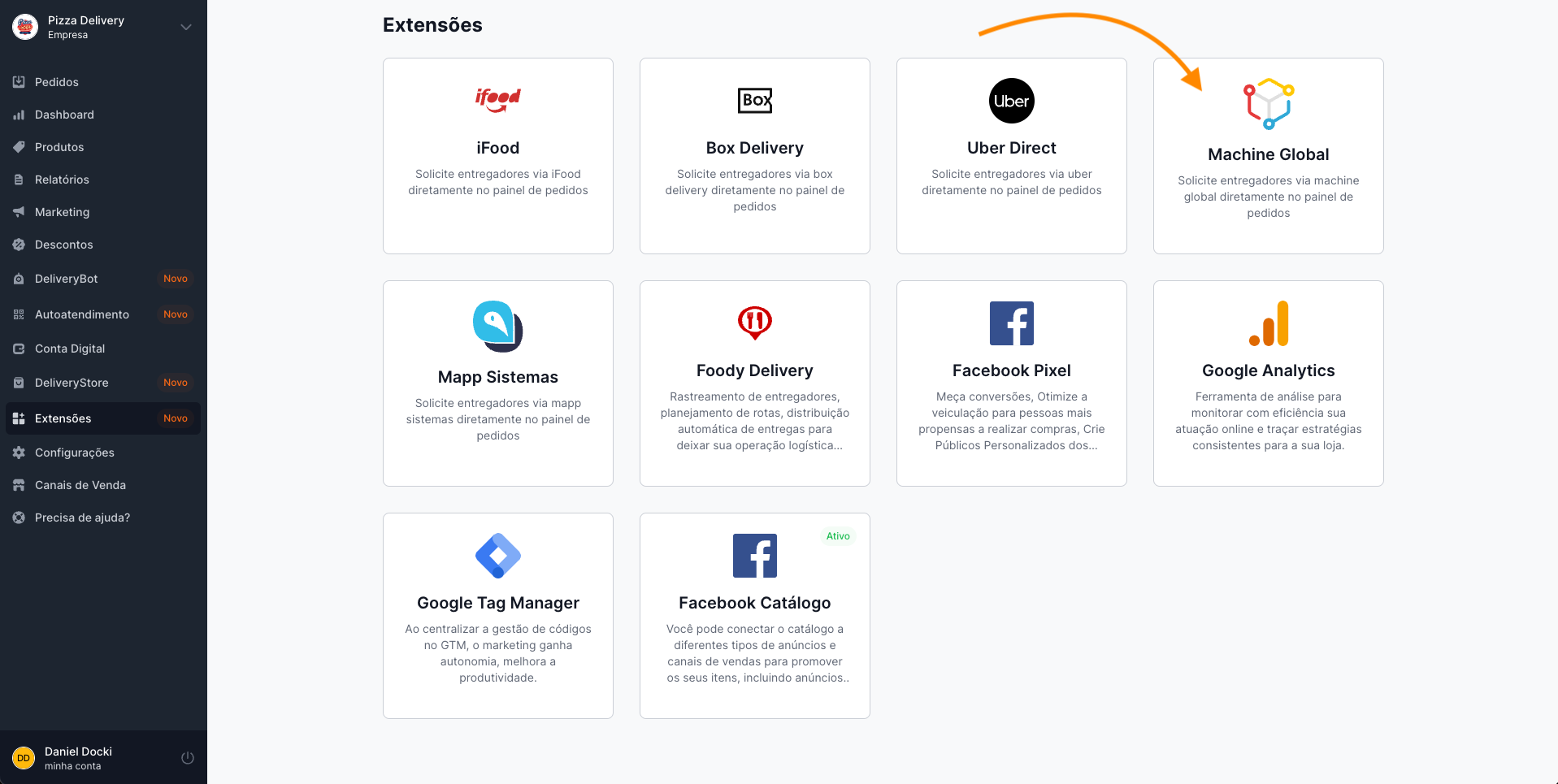
Em seu painel, acesse **Extensões**. Você irá visualizar o módulo de integração com a Machine Global, que por padrão estará visível para todas as lojas.
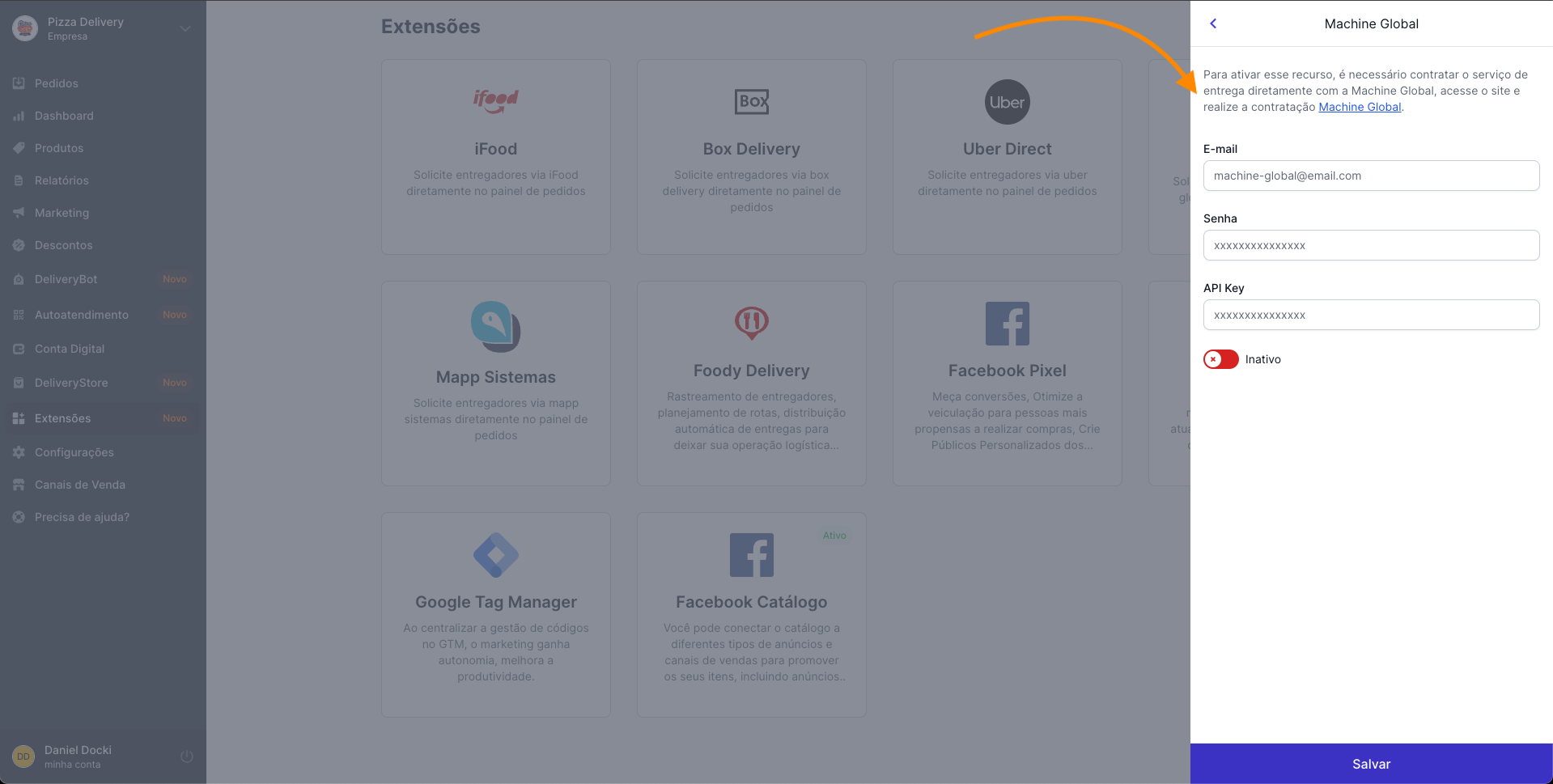
Ao clicar para habilitar, será aberto uma janela com informações básicas sobre o processo de ativação. Em seguida, basta você inserir seu E-mail, Senha e API Key que recebeu do time da Machine Global.
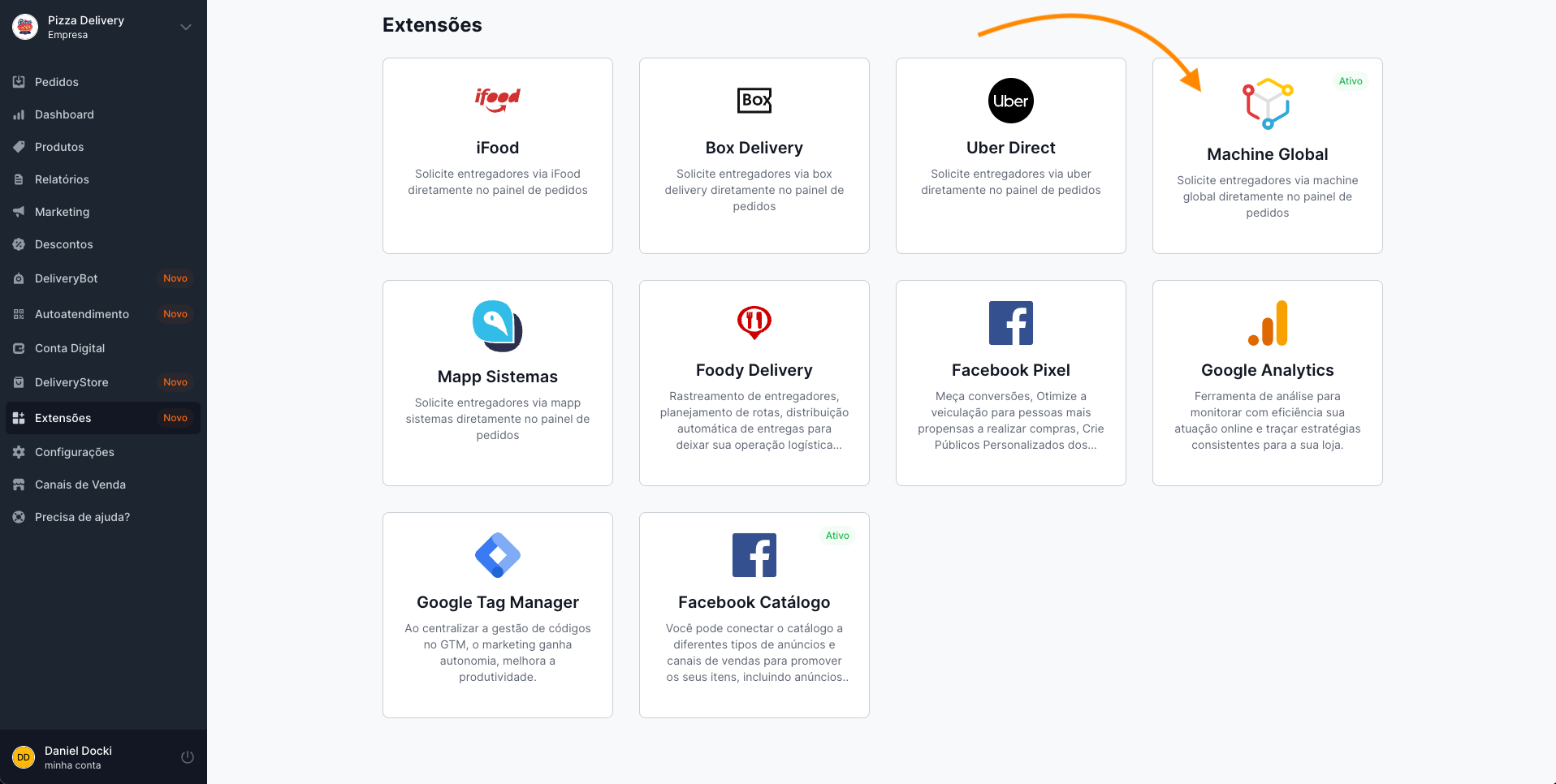
Uma vez que for validado, sua integração estará ativa e pronta para funcionamento. Em seu painel você conseguirá visualizar que a integração está ativa.
## Inativando a integração com a Machine Global
Para inativar sua integração com a Machine Global Sistemas basta clicar no card e inativar e salvar, que o status será atualizado para Inativo.
Caso você queira reativar novamente a integração, basta clicar novamente no botão, que a integração voltará a funcionar, vinculada a conta adicionada anteriormente, sem necessidade de passar pelo processo de ativação, novamente.